Instagram Account Disabled? Here's Exactly What To Do
Getting your Instagram account disabled can feel devastating, especially if your followers, content, and DMs drive your business. The good news is that many disabled accounts can be recovered. This guide explains the different types of account disables, how to determine what caused yours, the steps to submit an effective appeal, and the best practices to protect your account from future suspensions.

DM Rocket
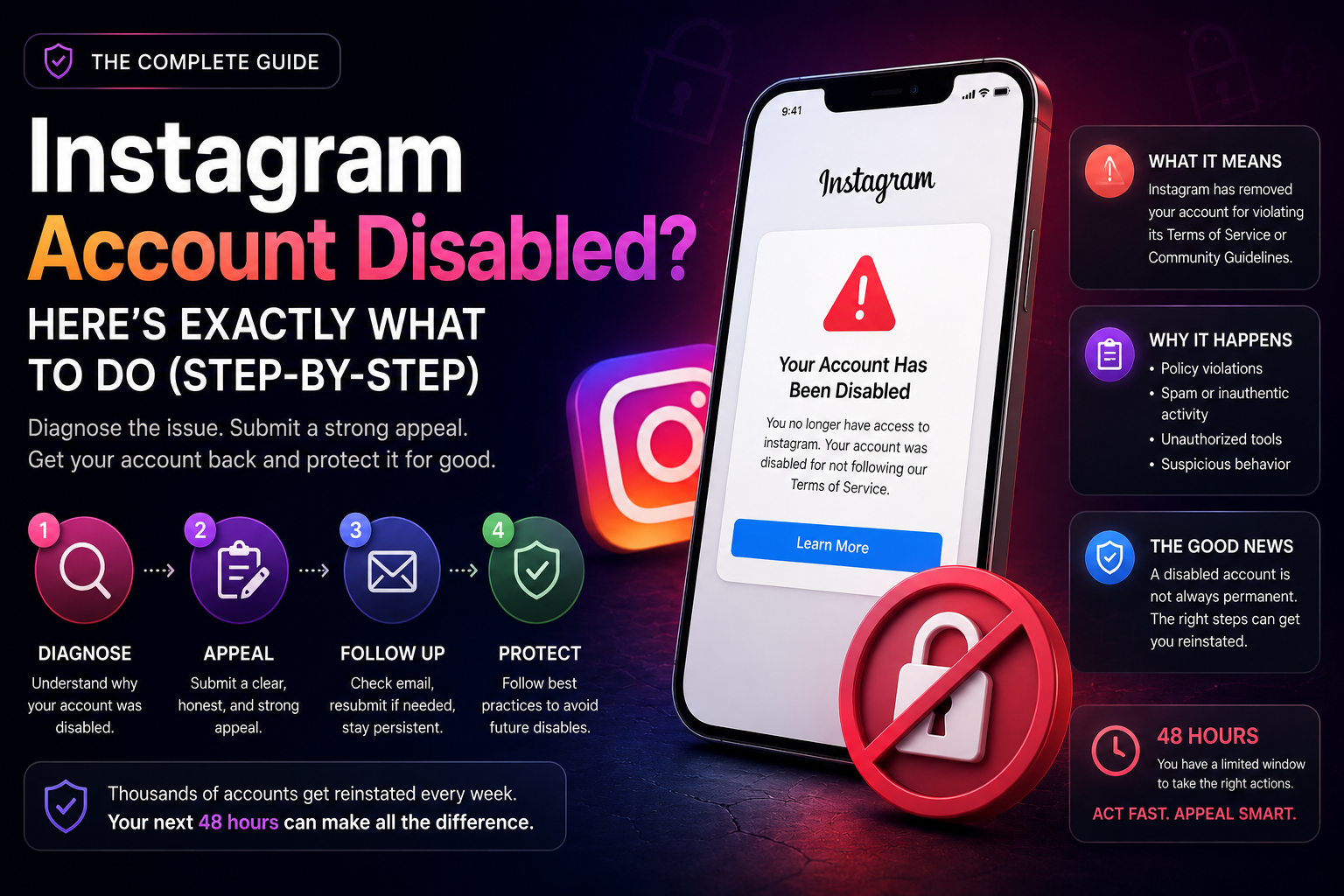
Instagram Account Disabled? Here's Exactly What To Do
You open Instagram and get hit with a message: "Your account has been disabled." No warning. No explanation. Just locked out of the account you've spent months or years building.
It's one of the worst feelings in the game, especially if your DMs, followers, and content are your actual business pipeline.
The good news: a disabled account is not always permanent. Thousands of accounts get reinstated every week. What determines whether yours does comes down to what you do in the next 48 hours and how clearly you understand what actually happened.
This guide walks you through every step, from diagnosis to appeal to long term protection.
What "Account Disabled" Actually Means
When Instagram disables your account, it means the platform has determined your account violated its Terms of Service or Community Guidelines seriously enough to warrant removal, not just a warning or a reach restriction.
This is different from a shadowban (where your account still works but your reach is suppressed). With a disabled account, you're fully locked out. Your profile may appear as "User not found" to others, or it may simply not load at all.
Instagram disables accounts for two types of reasons: policy violations and what it considers suspicious or inauthentic activity.
Policy violations include posting content that breaks Community Guidelines, such as nudity, hate speech, graphic violence, misinformation, or content involving regulated products. It also includes impersonating another person or brand, sending spam at scale, or coordinating fake engagement across multiple accounts.
Suspicious activity triggers include things like logging in from multiple locations in a short window, connecting unauthorized third party tools that access your account without proper API permissions, or a sudden surge in follows, unfollows, or DM volume that looks bot like to Instagram's detection systems.
If you've been using Instagram DMs as a sales channel and running outreach manually or through an unofficial tool, this second category is worth paying close attention to. We cover the right way to run DM automation at dmrocket.co/blog/what-is-data-amnesia-and-how-it-s-silently-killing-your-brand-s-revenue.
Step 1: Don't Panic, Confirm What Type of Disable You Have
Before you do anything, identify exactly what you're dealing with. Not all "disabled" messages are the same.
Temporary disable with an appeal option: You see a message saying your account was disabled for violating Terms of Service, and there is a button or link to "Learn More" or "Request Review." This is the most common type and the most recoverable.
Permanent removal: Your account is gone with no appeal link, or any previous appeals have been rejected and your account is still down after 30 or more days. This is harder but sometimes still reversible through Meta Business Support if your account is linked to a Business Manager.
Error or false positive: Your account was disabled but you genuinely did not violate any policy. This happens more often than Instagram admits, especially to accounts that were recently growing fast or ran a high volume campaign.
Knowing which one you have determines which path you take next.
Step 2: Submit Your Appeal Through the Official Channel
If you have an appeal option, use it immediately. Here is exactly how.
On your phone, open Instagram and attempt to log in. On the disabled screen, tap "Learn More" or "I disagree with this decision." Follow the prompts. Instagram may ask you to confirm your identity, this sometimes involves submitting a photo of yourself holding a handwritten code they provide.
When writing your appeal message, keep it short, honest, and professional. Do not be aggressive toward Instagram. Do not make promises you can't keep. Simply state that you believe the disable was either an error or that the behavior that caused it was unintentional and has been addressed.
A strong appeal message looks like this: "My account was recently disabled. I believe this may have been an error, or that certain actions I took, such as using a third party tool, inadvertently triggered a policy flag. I have since disconnected all third party apps and am committed to following Instagram's guidelines. I respectfully request a review of my account."
After submitting, Instagram typically responds within 1 to 5 business days. If you get no response after 7 days, move to the next step.
Step 3: Use the "Report a Problem" Path as a Backup
If the main appeal form did not work or is not available to you, use Instagram's secondary support path.
Go to Instagram on a browser (not the app). Navigate to instagram.com/hacked. This page is designed for compromised accounts but it also allows you to report access problems more broadly. Alternatively, go to the Help Center at help.instagram.com and search for "disabled account." There is a specific form for accounts disabled by mistake.
Fill in all fields honestly. Use the same email address or phone number associated with your account. Keep a record of every submission you make, screenshot the confirmation.
Step 4: Disconnect All Third-Party Apps From Your Account
While your appeal is in review, take this step even if you can't log in to your main account.
If you can still access account settings (some users can reach settings even with a disabled profile), go to Settings, then Security, then Apps and Websites. Revoke access for every third party tool that was connected, schedulers, automation tools, analytics apps, DM tools, anything.
If you can't access settings at all, go to the specific third party tools themselves and disconnect your Instagram account from their side. This removes their OAuth tokens and severs the connection on the platform's end.
This matters because Instagram's review team can see which apps were accessing your account. Showing that you've cleaned up your connected apps strengthens your appeal.
If you need DM automation for your business and want to make sure you're using a tool that won't get you flagged again, see how DMRocket works on Meta's official API at dmrocket.co/product/dmrocket-ai.
Step 5: Change Your Password and Secure Your Account
Even if the disable was not caused by a hack, change your password now. A password change signals to Instagram's systems that you are the legitimate account owner taking steps to secure the account.
Use a strong, unique password. Enable two-factor authentication if you haven't already. This is found under Settings, then Security, then Two-Factor Authentication.
Also check under Settings, then Security, then Login Activity. If you see any logins from locations or devices you don't recognize, flag them. If your account was compromised, report the unauthorized access separately through instagram.com/hacked.
Step 6: If Your Account Is Linked to a Meta Business Manager, Use That Channel
This is the most underused recovery path and the one that works best for business accounts.
If your disabled Instagram account is connected to a Meta Business Manager, you have access to Meta's business support team, which is separate from Instagram's general consumer support and tends to be more responsive.
Go to business.facebook.com. Navigate to Help. Click "Contact Support." From there, select the issue related to your Instagram account being disabled.
If you have a verified Business Manager with active ad spend history, Meta's support team treats your case as a higher priority. This is one of the most practical reasons for any D2C brand or coach to have their Instagram connected to a proper Business Manager, it gives you a real escalation path if things go wrong.
Step 7: If All Appeals Fail, Build a Recovery Account in Parallel
If your account has been down for more than 30 days with no response or a final rejection, you need to start protecting your business by building a secondary presence.
Create a new account on a different email address and device. Do not use the same IP address initially if possible. Do not try to recreate your old account's content exactly, this can trigger duplicate content flags.
Notify your audience. If you have other channels, an email list, a WhatsApp group, a website, send a message explaining the situation and pointing people to your new account. This is also the moment that brands who had cross-channel infrastructure (email list, WhatsApp) recover far faster than those who depended entirely on Instagram. See how cross-channel memory works at dmrocket.co/use-cases/cross-channel-memory.
Start rebuilding slowly. Post genuine content, avoid any automation for the first 30 days, and grow organically before introducing any tools.
How Long Does a Disabled Account Stay Disabled?
There is no fixed timeline. It depends entirely on the type of violation and whether you've submitted an appeal.
Temporary disables from minor violations or false positives typically resolve within 24 to 72 hours after a successful appeal. More serious violations can take 7 to 30 days to review. Accounts flagged for repeated violations or severe policy breaches may be permanently removed with no recovery option.
The earlier you submit your appeal, the better. Instagram's review queue is large. Getting your appeal in fast means it gets seen before the system auto-confirms a permanent removal.
How to Make Sure This Never Happens Again
Prevention is the only reliable strategy. Here is what to put in place now.
Connect your Instagram to a verified Meta Business Manager. This gives you an escalation path if anything goes wrong in the future.
Never use tools that require your Instagram username and password. Legitimate tools connect through OAuth and never ask for your login credentials directly. Any tool that asks for your password is operating outside Meta's approved framework.
If you use DM automation, and you should, because DMs are your highest-converting channel, make sure the tool runs on Meta's official Messaging API. Unofficial tools that scrape or simulate human behavior are the number one cause of unexpected account disables for D2C brands and coaches. You can see exactly how compliant DM automation should look at dmrocket.co/solutions/dtc-brands.
Keep your content original and varied. Repetitive posts, recycled captions, and reposted TikTok content with watermarks are all signals Instagram uses to assess account quality.
Build your audience on more than one channel. An email list and a WhatsApp broadcast list mean that even if Instagram disables your account tomorrow, your business doesn't disappear with it. Brands that have cross-channel infrastructure lose nothing when a single platform goes down.
Final Thoughts
A disabled Instagram account is serious, but it is not automatically the end. The brands and creators who recover fastest are the ones who act quickly, appeal through the right channels, clean up their connected apps, and have at least some presence on other platforms as backup.
If you were running any kind of DM outreach before the disable, the most important thing to fix before you get your account back is the infrastructure. Getting reinstated on a compliant account only to repeat the same behavior means you'll be back in the same situation in weeks.
Build it right the second time. If you want to use Instagram DMs as a revenue channel without putting your account at risk, see how DMRocket handles this at dmrocket.co.
Related Articles:
Instagram Shadowban vs Suspension: What's the Difference?, dmrocket.co/blog/instagram-shadowban-vs-suspension
What Is Data Amnesia and How It's Silently Killing Your Brand's Revenue, dmrocket.co/blog/what-is-data-amnesia-and-how-it-s-silently-killing-your-brand-s-revenue
Which Instagram Automation Tool Should You Use in 2026?, dmrocket.co/blog/which-instagram-automation-tool-2026
DMRocket helps D2C brands, coaches, and consultants turn Instagram DMs into a real revenue channel, using AI automation built on Meta's official API. Start for free at dmrocket.co.
Ready to automate your Instagram DMs?
Join creators and businesses using DMRocket to reply faster, capture hot leads, and turn conversations into revenue.
Get Started Free