Instagram Shadowban vs Suspension: What's the Difference?
Has your Instagram reach suddenly dropped or has your account been suspended altogether? While shadowbans and suspensions can both hurt your growth, they're very different problems that require different solutions. In this guide, you'll learn how to identify which issue you're facing, what causes it, how to recover, and the best practices to keep your account safe while growing through Instagram DMs and content.

DM Rocket
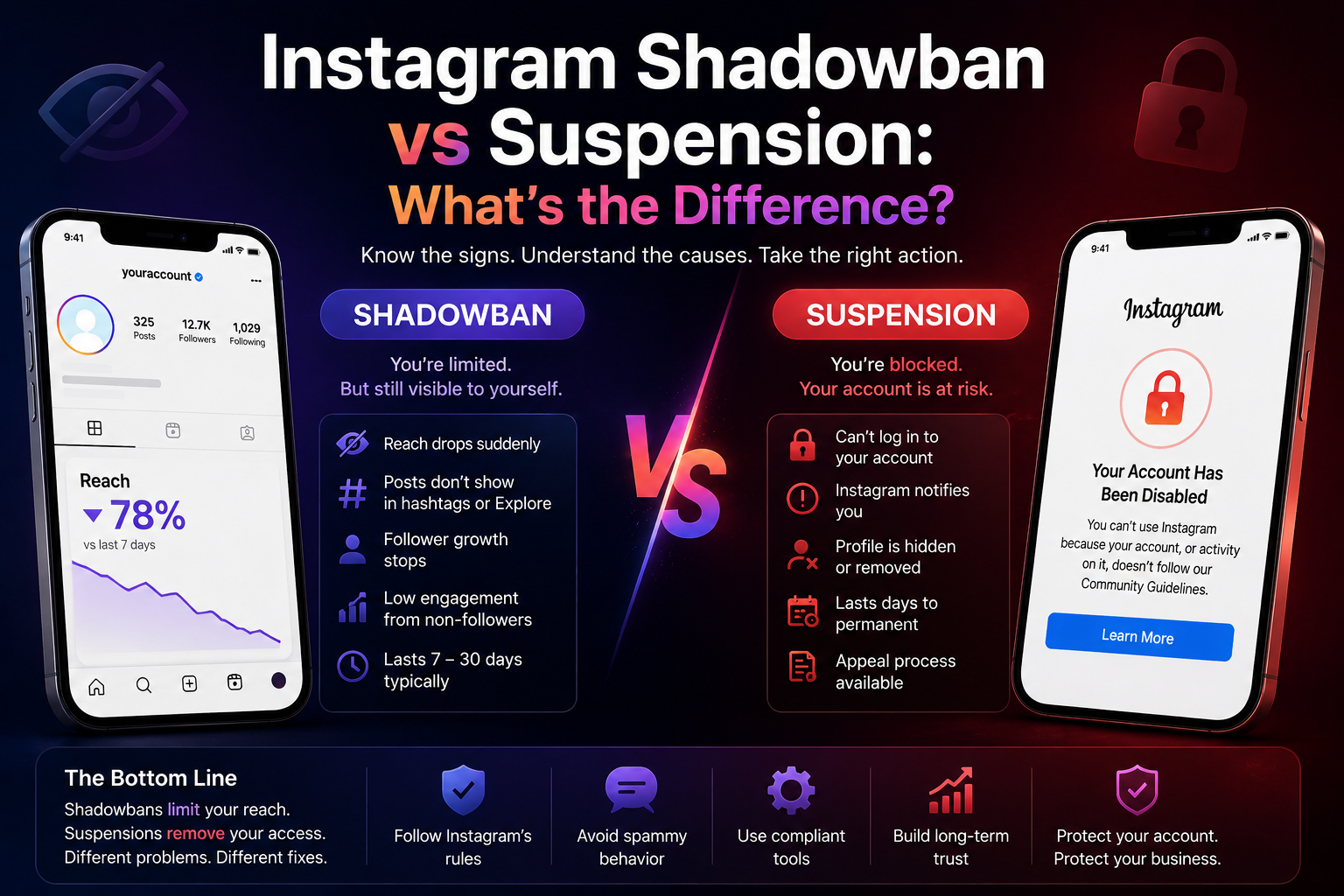
Instagram Shadowban vs Suspension: What's the Difference?
If your Instagram reach suddenly tanked overnight or your account just disappeared you're not alone. Thousands of creators, coaches, and brand owners run into one of two very different problems: a shadowban or a full account suspension.
They feel similar (your content stops performing), but they work completely differently and the fix for one won't work for the other.
In this guide, we break down exactly what each one is, why it happens, how to tell which one you're dealing with, and what you can do about it.
Table of Contents
What Is an Instagram Shadowban?
What Is an Instagram Account Suspension?
Shadowban vs Suspension: Key Differences
Why Does Instagram Shadowban Accounts?
Why Does Instagram Suspend Accounts?
How to Tell Which One You Have
How to Fix a Shadowban
How to Recover a Suspended Account
How to Prevent Both
Final Thoughts
What Is an Instagram Shadowban?
A shadowban is Instagram's quiet way of limiting your account's visibility without telling you.
Your account stays active. You can post, comment, DM, and do everything as normal but your content stops showing up in hashtag pages, Explore, Reels recommendations, and for non followers in general.
You lose reach without any notification. Instagram never sends you a warning email or an alert. Your posts just quietly stop getting seen by anyone outside your existing followers.
Signs you've been shadowbanned:
Reach and impressions drop sharply (50%+ in a short period)
Posts stop appearing under hashtags when checked from another account
New follower growth has flatlined
Engagement from non followers has dropped to near zero
Your Reels aren't being pushed on the Explore or Reels tab
Important: Shadowbans are not permanent. They typically last 7 to 30 days, depending on the severity of the trigger.
What Is an Instagram Account Suspension?
An account suspension (also called a ban or removal) is when Instagram actively disables your account for violating its Community Guidelines or Terms of Service.
Unlike a shadowban, this is visible and definitive. You'll either:
See an "Account Suspended" message when you try to log in
Get an in app notification that your account has been disabled
Find your profile completely gone when searched
Suspensions can be temporary (a few hours to a few days) or permanent, depending on how serious the violation was.
Why Does Instagram Shadowban Accounts?
Instagram uses algorithmic signals to detect what it considers "inauthentic" or "spammy" behavior. Common triggers include:
1. Using banned or flagged hashtags
Some hashtags are associated with spam or inappropriate content. Using them even unknowingly can trigger a shadowban.
2. Following/unfollowing too aggressively
Mass following or unfollowing hundreds of accounts in a short window is a classic bot signal.
3. Sending too many DMs too fast
If you're blasting cold DMs manually at scale, Instagram's spam detection picks it up. This is one of the biggest mistakes we see from brands trying to grow through Instagram DMs without the right infrastructure.
4. Getting reported by multiple users
If several users report your content or profile as spam, Instagram may restrict your visibility.
5. Using third party tools that violate Instagram's API policies
Unauthorized automation tools that scrape data or perform actions at inhuman speeds put your account at serious risk.
6. Low-quality or repetitive content
Instagram prioritizes original, engaging content. Reposting the same captions, using the same hashtag sets repeatedly, or posting low-effort content too frequently can suppress your reach.
7. Sudden spikes in activity
Going from 2 posts a week to 10 posts a day overnight can flag your account as suspicious.
Why Does Instagram Suspend Accounts?
Suspensions happen when you cross a clearer line. Instagram will suspend accounts for:
Posting content that violates Community Guidelines (nudity, hate speech, violence, misinformation)
Buying followers or engagement (fake likes, comments, views)
Impersonating another person or brand
Hacking or unauthorized access to other accounts
Running coordinated inauthentic behavior (fake reviews, coordinated spam)
Repeatedly violating policies after previous warnings
Using Instagram in ways that breach their Terms of Service
Serious violations often result in immediate permanent removal with no warning.
How to Tell Which One You Have
Step 1: Try to log into your account.
If you can log in and see your profile normally → you might have a shadowban (or just an algorithm slump).
If you see a disabled or suspended message → you have a suspension.
Step 2: Check your reach stats.
Go to your professional dashboard. If your reach has dropped sharply (especially from non followers) in the last 7 to 14 days, that's a shadowban signal.
Step 3: Test your hashtags.
Post something with 3 to 5 niche hashtags. Then log out and search those hashtags from a secondary account that doesn't follow you. If your post doesn't appear shadowban confirmed.
Step 4: Look for in app notifications.
Check your Support Inbox (Settings > Help > Support Requests). Instagram sometimes sends notices about restricted content here.
How to Fix a Shadowban
A shadowban is fixable, but it requires patience. Here's a realistic playbook:
1. Stop the behavior that triggered it immediately
Identify what changed before the drop. Mass DMs? New hashtag set? New automation tool? Stop it now.
2. Take a 2 to 3 day break from posting
Don't post, don't follow/unfollow, don't DM aggressively. Let the algorithm "reset" its suspicion signals on your account.
3. Audit your hashtags
Remove any hashtag sets you've been using from your drafts. Search each hashtag and check if the Recent tab loads normally or shows a "restricted" message.
4. Switch up your content format
Post a mix of Reels, carousels, and Stories. Variation signals authentic human behavior.
5. Engage genuinely before posting
Spend 15 to 20 minutes commenting meaningfully on posts in your niche before you publish. This warms up your account's activity signal.
6. Use compliant DM tools
If you're using Instagram DMs for business, the difference between a shadowban and clean growth often comes down to how your automation is built. DMRocket is built on Meta's official API, which means your DM activity is recognized as compliant behavior not flagged as spam.
Most shadowbans lift within 7 to 14 days if you clean up the triggers.
How to Recover a Suspended Account
Account suspensions are harder to reverse, but not always impossible.
Step 1: Check if it was an error
Sometimes accounts get suspended incorrectly. Instagram has acknowledged this is a recurring issue. If you believe the suspension was a mistake, start by submitting an appeal.
Step 2: Submit a formal appeal
On the suspended account screen, tap "Learn More" or "Request Review." Instagram allows you to appeal through this in app flow. Be honest and concise in your explanation.
Step 3: Use the "I need more help" option
If the appeal form doesn't work, navigate to: Settings > Help > Report a Problem. Document everything you submit.
Step 4: Try logging in from the original device and IP
If you were flagged for suspicious login behavior, accessing from your original device may help Instagram verify your identity.
Step 5: Wait and follow up
Instagram typically responds within 1 to 5 business days for appeals. If rejected, you can resubmit. Repeated legitimate appeals sometimes get escalated for review.
If your account is permanently removed, recovery is very difficult unless you have a Business account connected to a verified Meta Business Manager. In that case, you can escalate through Meta Business Support directly.
How to Prevent Both
Prevention is far easier than recovery. Here's what to do consistently:
For shadowban prevention:
Follow Instagram's action limits: no more than 60 follows/unfollows per hour, 150 to 200 per day max
Rotate hashtag sets never use the exact same 30 hashtags every post
Avoid any tool that logs into your account with your username and password (scraper tools)
Send DMs at human speeds, not machine speeds or use a platform built on the official API
Don't buy engagement from third party services
Post consistently but not excessively (1 to 2 posts per day is safe for most accounts)
For suspension prevention:
Read Instagram's Community Guidelines and Terms of Service at least once
Never impersonate other accounts
Never buy followers, likes, or engagement
Avoid using unofficial third party apps that require your Instagram login credentials
Keep your connected Facebook Business Manager in good standing
The single biggest mistake we see from D2C brands and coaches:
Running bulk DM campaigns through unofficial scrapers or tools that fake human behavior. Not only does this risk a shadowban it puts the entire account at risk of suspension. If you're using Instagram DMs as a sales channel (which you should be DMs convert 3x to 5x higher than link in bio traffic), the infrastructure matters as much as the message.
Final Thoughts
Shadowban = your content is hidden, but your account is intact.
Suspension = your account itself is restricted or removed.
Both are stressful, but they require completely different responses. A shadowban calls for a behavioral reset and patience. A suspension calls for an appeal and, if needed, a deeper audit of your activity.
The best strategy is to never end up in either situation which means building your Instagram presence on compliant behavior, quality content, and tools that work with the platform, not against it.
If you're using Instagram DMs as a growth and revenue channel, make sure your automation is built the right way. See how DMRocket handles DM automation on the official Meta API →
Related Articles:
Why Instagram Engagement Doesn't EqualRevenue?
Which Instagram Automation Tool Should YouUse in 2026?
Instagram DM Automation: The Complete Guidefor D2C Brands
DMRocket helps D2C brands, coaches, and consultants turn Instagram DMs into a real revenue channel using AI automation built on Meta's official API.
Start for free at dmrocket.co →
Ready to automate your Instagram DMs?
Join creators and businesses using DMRocket to reply faster, capture hot leads, and turn conversations into revenue.
Get Started Free